Scan. Sign. Done.
A beautiful PDF scanner, editor and signer for iPhone, iPad and Mac. Turn anything into a crisp PDF, sign it with your finger, search it with on-device OCR — and lock it in a Face ID vault. No accounts, no ads, no tracking — ever.
📲Download on theApp Store

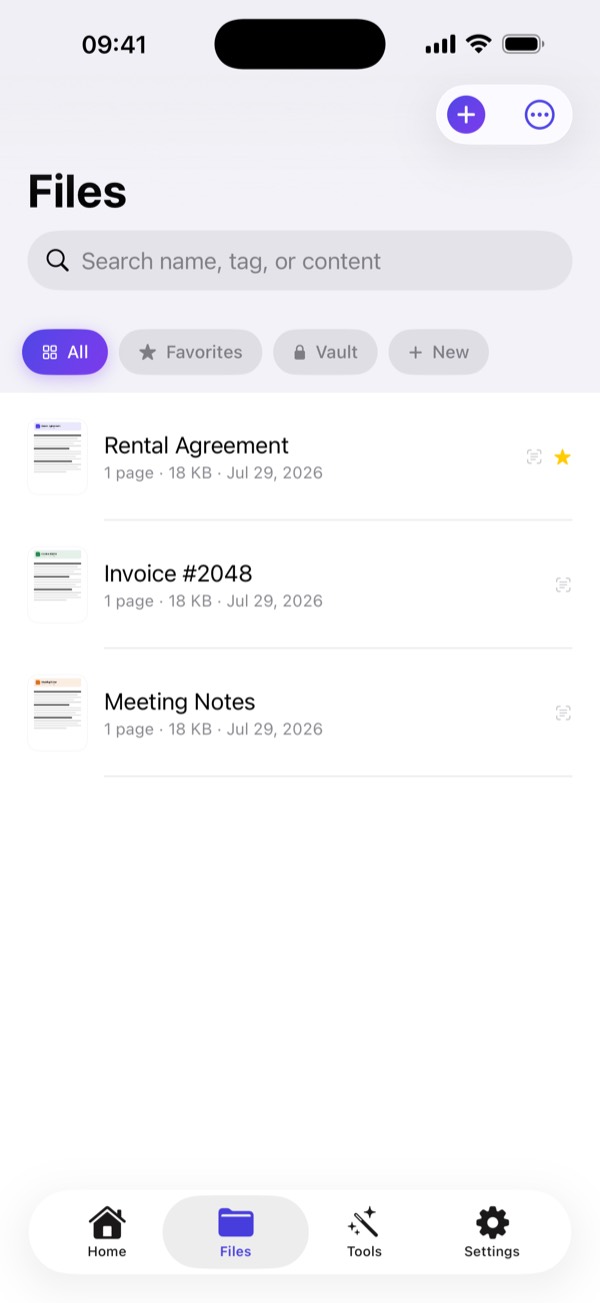
← swipe →
Now in the Files app
Open, preview and attach your documents from anywhere — no exporting first.
Scans name themselves
On-device AI reads the page and titles it “Electricity Bill, March 2026”, not a timestamp.
Shortcuts & Siri
Find a document, grab its PDF or text, or summarize it — without opening the app.
iPhone, iPad and Mac
Layouts built for the bigger screen, and it runs on Apple silicon Macs too.
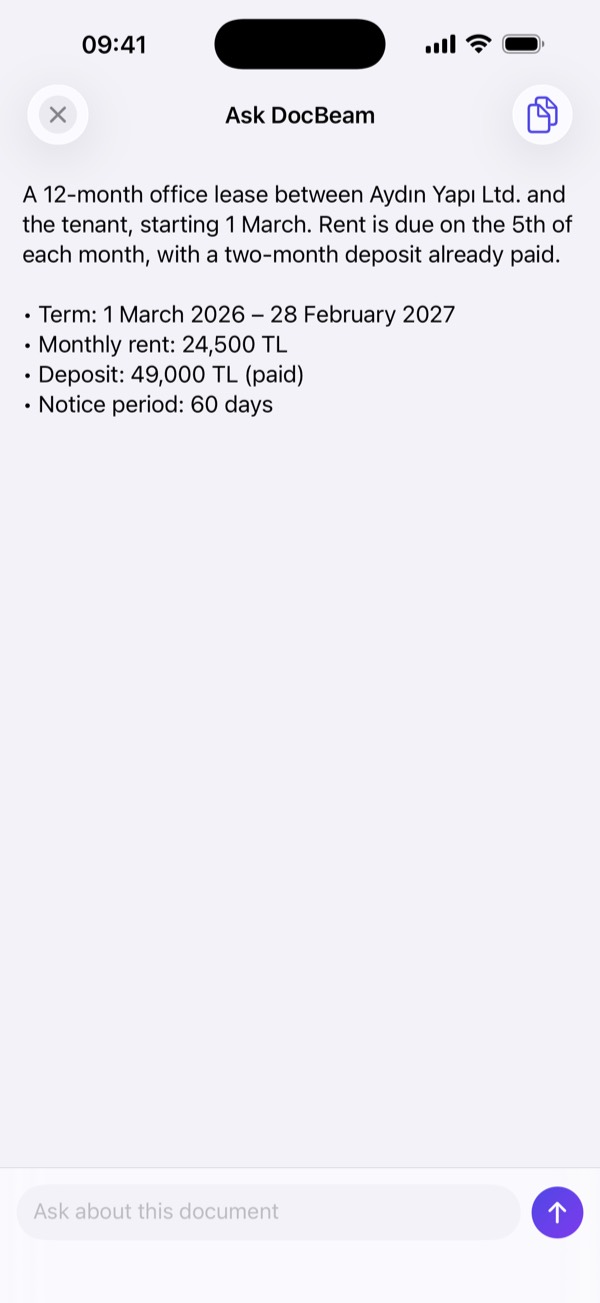
Ask your documents
Summarize a contract or ask what it says — the AI runs on your iPhone, not in the cloud.
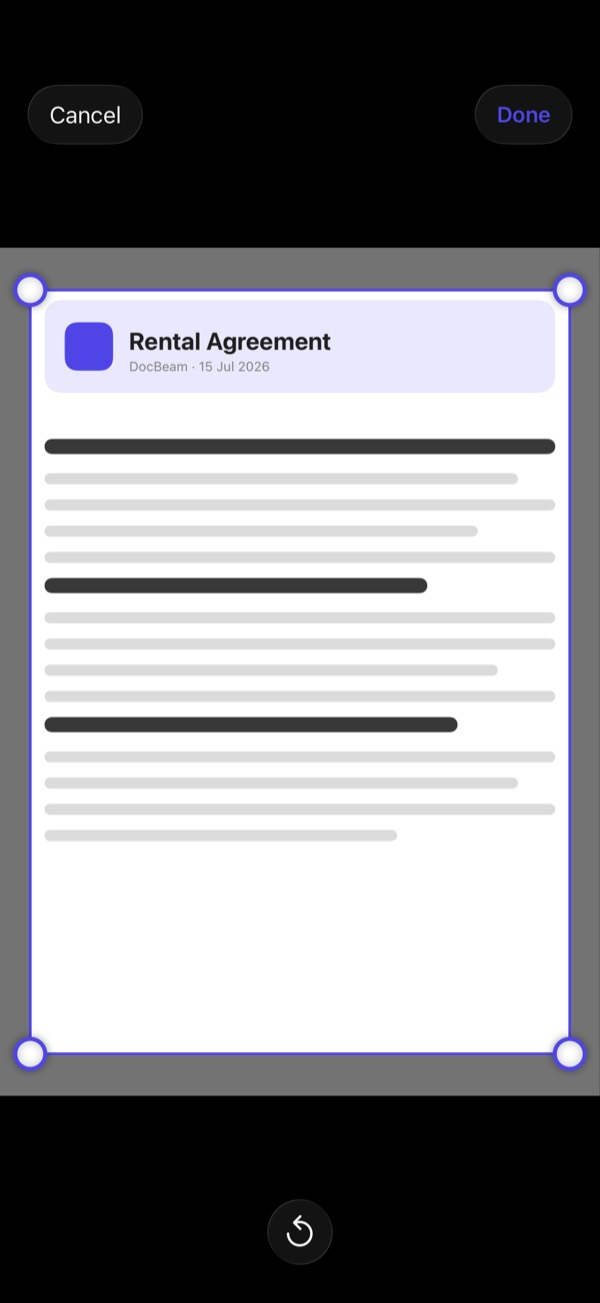
Crop it exactly right
Drag the corners on any photo; DocBeam straightens the page for you.
A4 or US Letter
Pick a real paper size so documents print and attach exactly right.
Cards to Contacts
Scan a business card and save the person straight to Contacts.
Translate on device
Turn recognized text into another language without leaving your iPhone.
Scan anything
Automatic edge detection turns any photo into a professional PDF.
Sign & annotate
Add your signature, highlight, draw and type right on the page.
Face ID vault
Keep IDs, passports and contracts in a biometric-locked vault.
On-device OCR
Every document becomes searchable — OCR runs entirely on your iPhone.
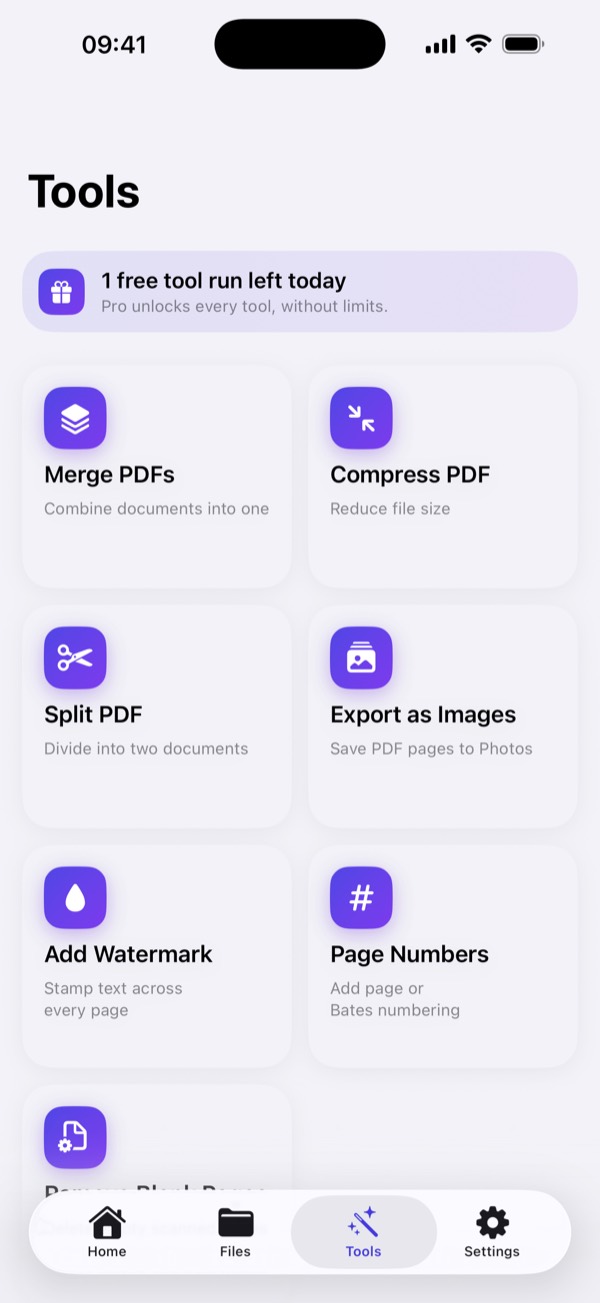
Every PDF tool
Merge, split, compress, watermark, page & Bates numbering, and more.
Expiry reminders
Get notified before your IDs, insurance and contracts expire.
Redact before you share
Black out an ID number or an address for good. The pixels and the recognized text are both destroyed — not just covered with a box.
Folders, tags, favourites
Group documents into folders, tag them, star the ones you need often, and find any of it from one search field.
Colour, grey or black & white
Choose a scan profile so pages come out looking like real scans — cleaner, sharper, and a fraction of the file size.
Do it to many at once
Select several documents to share, merge into a single PDF, move to a folder or delete — all in one go.
Private by design
No accounts. No analytics. No ads. No tracking. DocBeam has no servers that receive your documents — everything happens on your iPhone. That's not a setting; it's how it's built.
FAQ
Is DocBeam free?
Yes. You can scan, sign and share documents for free every day. DocBeam Pro lifts the daily limits and unlocks the AI, the Face ID vault, password protection and every PDF tool.
Do my documents leave my iPhone?
No. Scanning, text recognition, signing and AI summaries all run on the device. DocBeam has no servers and no account, so there is nothing to upload.
Does the AI work offline?
Yes. Summaries and questions use Apple's on-device model, so they work without an internet connection on iPhones that support Apple Intelligence.
Can I sign a PDF by hand?
Yes. Draw your signature once, place it on any page, and export or share the signed PDF.
Can I search inside scanned documents?
Yes. On-device OCR makes every scan searchable, including from iPhone Spotlight.